Record, summarise, and it stays yours.
Smardly Voice records your conversations with your iPhone, iPad or Mac, transcribes them and makes a summary with decisions and action items. You don't need an extra device.
Your conversations are processed on your own device. They do not go to Smardly or to a transcription service.
Works with your iPhone's microphone · Processed on your device · The recorder is optional
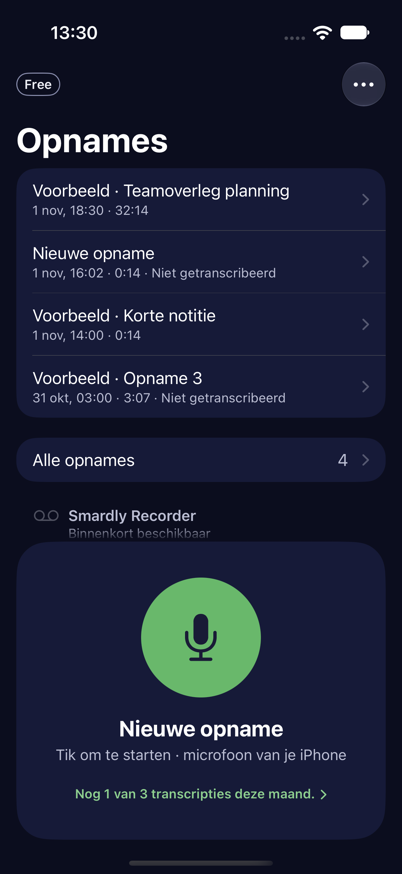
A recording is only useful when you get something out of it.
Nobody listens back to an hour of audio. That's why Smardly Voice does more than transcribe.
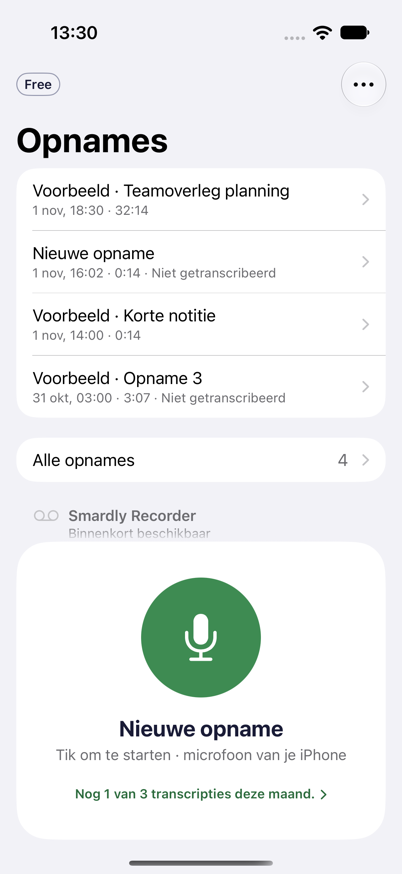
One tap and you're recording.
Simply with the microphone of your iPhone, iPad or Mac. No account, no extra device. The app opens on your recordings, with the record button always within reach at the bottom.
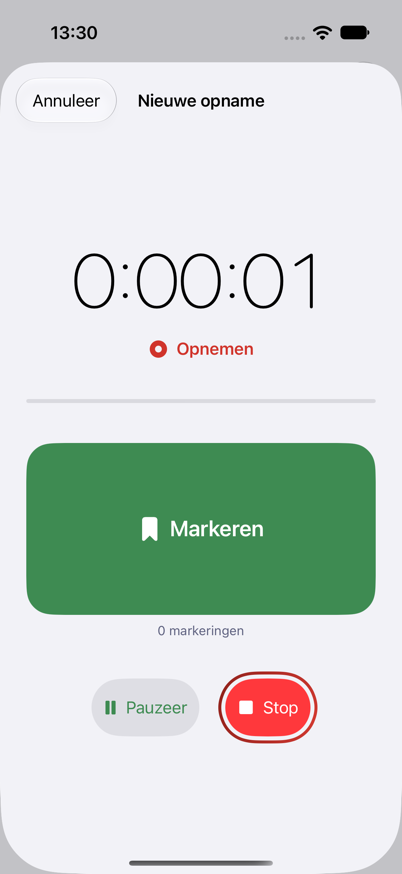
Mark while you talk.
Is something important being said? Tap the big button without looking. Later you jump straight to that moment.
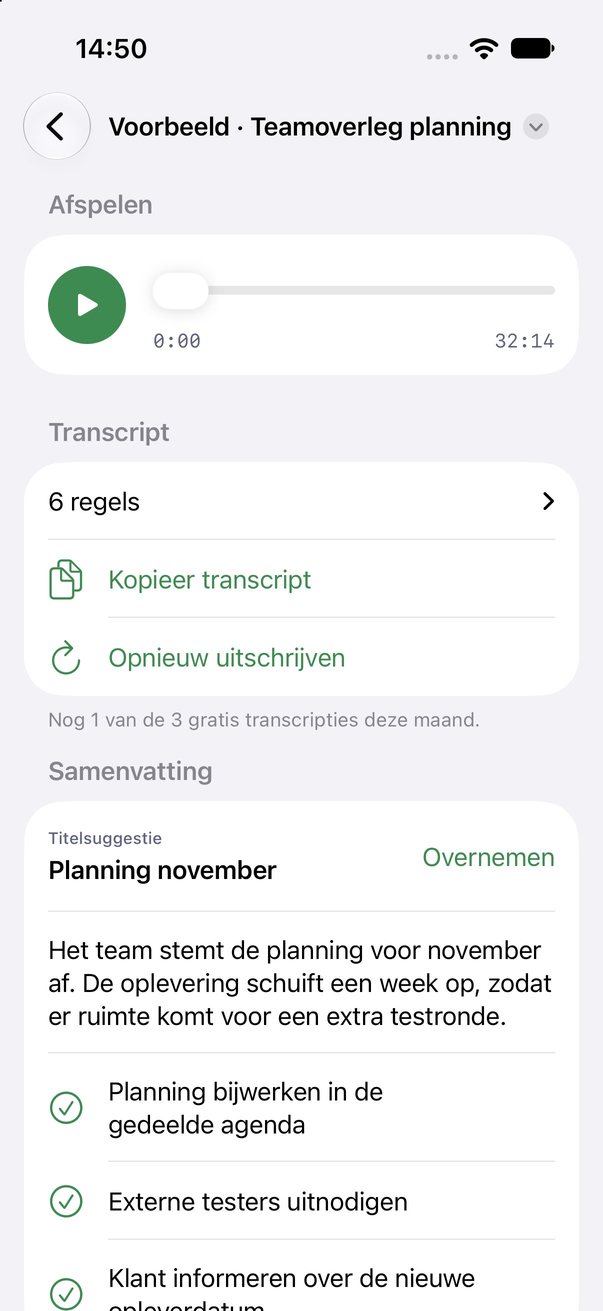
Everything back in one overview.
A summary, the decisions and action items, a searchable transcript and your markers. Tap a marker and you hear that moment again.
Your conversations do not end up with us.
Smardly Voice processes everything on your own device. Three facts, all three of which you can find in our security document.
Transcription happens on your device.
The app uses three speech recognition engines, all three on your device. If there is no model on the device for a language, the app shows an error instead of sending audio anywhere. The summary is made by Apple's language model, also on your device.
The app makes no connection to Smardly.
No analytics, no telemetry, no crash reporting, no advertising, no trackers. That is why there is nothing to send to: the app has no account and no login, and contains no code that sends anything to a Smardly server. Only the speech models are downloaded, once, normally via Apple; no recording goes with it.
Your recordings are in your own iCloud.
If iCloud is on, the app synchronises your recordings, transcripts and summaries to your own iCloud, so they are on your other devices. That is storage at Apple, under your Apple account. We cannot access it. If you do not want that, turn iCloud off for the app in the iOS settings.
Does your security officer need to approve first? Forward this page, with the security document attached. Read how Voice is secured ›
From conversation to overview.
Two lines of summary at the top. Below that the decisions, the action items with owner and deadline, and the questions still open. The whole transcript is searchable.
The automatic summary works from iOS 27. On iOS 26 you get recording, transcription and markers.
The launch moves back a week so the test with customers can be finished. Marketing starts the campaign only after that.
Do we do the demo live or recorded?
Start on your iPhone. Continue on your Mac.
The same recordings on all your devices, through your own iCloud.
iPhone
Record on the go, with the button always under your thumb.
iPad
Roomy view for reading back and marking.
Mac
Your recordings are there too, to read back on a big screen.
Dutch
The app and transcription work in Dutch.
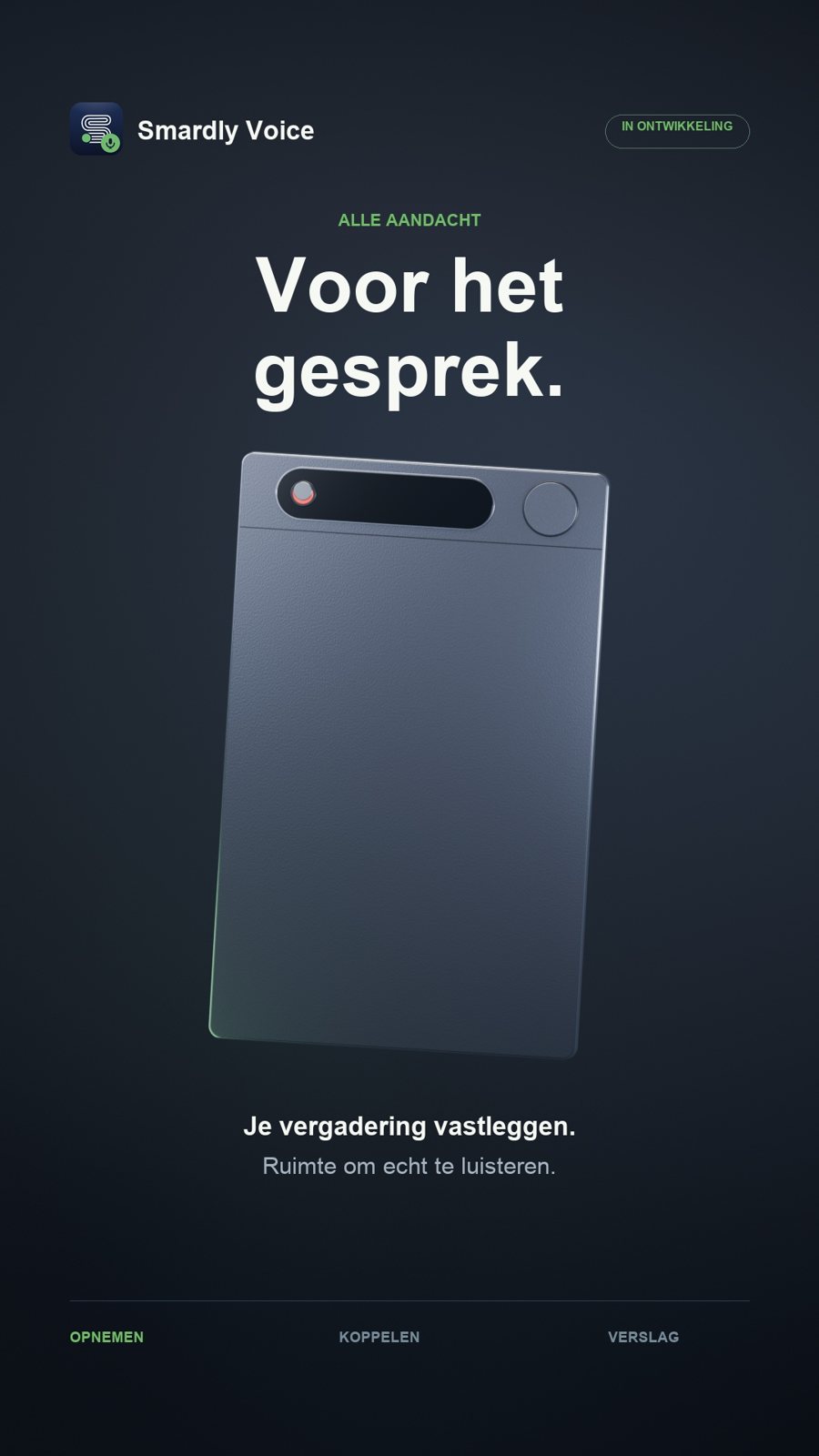
And soon: a recorder you don't have to hold.
Voice works fine with just your phone. The recorder is optional. If you'd rather not put your phone on the table, a separate recorder that works with the app will follow later. On the table or on your clothes. The recordings appear in the app by themselves, with the same summary and markers.
- Record without your phone on the table
- Everything in the same library
- The same processing on your own device
First the app, the recorder follows. Let me know when ›
Everyone gets a free Smardly profile.
Also without Smardly Voice. Your digital business card: you share your details with a link or QR code and keep them up to date yourself.
Smardly Voice is not part of Smardly Pro. With Smardly Team, Voice is included.
Be the first to use Smardly Voice.
Leave your email address and be the first to hear when the app is here. Want to join earlier? Sign up as a tester through TestFlight.
- No spam, we never sell your data
- Testers get an invitation as soon as a build is ready
You'll get a confirmation email. As soon as Smardly Voice is there, you'll be the first to know.
You'll get a TestFlight invitation as soon as there's a build ready to test.
Frequently asked questions
When is the app coming out?
There's no date yet. The app is being built now; everyone on the list hears first, and testers hear before that.
Do I need the recorder?
No. Smardly Voice is an app that works with the microphone of your iPhone, iPad or Mac. The separate recorder is an optional extra that comes later.
Do my recordings go to a server?
No. Recording and transcription happen on your own device, and your recordings are stored in your own iCloud. We have no access to them.
What will it cost?
Smardly Voice is not part of Smardly Pro. We will announce what Voice costs at launch; people on the list hear first. With Smardly Team, Voice is included.
Which iPhone do I need?
Smardly Voice runs from iOS 26, and on iPad and Mac. The automatic summary uses features that are only available from iOS 27; on iOS 26 you get the recording, the transcript and your marks.
Does it work in Dutch?
Yes. The app and the transcription are in Dutch.